Need a quick snapshot of how to build a social media presence? Here’s a bird’s-eye view of the six areas that keep growth steady: channels, audience, content, scheduling, analytics and amplification. Hold onto this outline—you’ll dive deeper in the sections ahead.
Begin by picking Platforms where your potential fans are already chatting and sharing. You don’t need every network—two to four channels create a sweet spot between reach and resources.
Next, map out your ideal follower using demographics and interests. Dig into data with Trendy Audience Insights to uncover niche pockets that often slip under the radar.
Draft visuals that stop thumbs mid-scroll and write captions that spark conversation. Then, time your posts for moments when your community is most alert—early engagement can set the tone for the entire day.
Key Takeaway: Zeroing in on a clear focus drives faster growth and deeper engagement
Here’s a quick cheat sheet to keep on hand when you need a fast reference:
Summary Of Key Steps To Build Presence
| Step | Description | Tool |
| Platform Choice | Meet your audience where they hang out | Trendy Audience Insights |
| Content Creation | Design scroll-stopping posts | Trendy Storyboard Module |
| Scheduling | Post automatically at peak times | Trendy Scheduler |
| Analytics | Monitor results in real time | Trendy iOS App |
| Amplification | Boost top performers with ads | Trendy Ad Spend Analyzer |
Don’t miss a beat—download the Trendy iOS App for on-the-go insights: Get the Trendy iOS App
One boutique coffee shop followed this flow and watched its Instagram community swell by 50% in just six weeks thanks to timely Trendy alerts.
Now that you’ve got the overview, get ready for detailed examples, in-the-trenches case studies, and hands-on tips. You’ll discover how tiny tweaks—backed by Trendy’s reports—can deliver big wins.
Before you hit “post,” pause and think about where your people hang out online. That choice will steer every idea, image, and caption you create.
Trendy’s Audience Insights dashboard and the iOS app (download here: Get the Trendy iOS App) keep you in the loop with live data on follower age ranges, active hours, and favorite formats.
By mid-2025, roughly 5.4 billion people were on social media. For a full breakdown, see Backlinko’s report on social media users.
The average person hops between 6.8 apps each day and spends about 2 hours 20 minutes scrolling feeds. Nail the right posting style and rhythm for each network—and you’ll stand out.
Key InsightTailoring your content’s tone and format to each network beats identical cross-posts every time.
Every platform hosts dozens of topic-based clusters—from local hobby groups to global fan threads. Trendy’s group finder shows where your audience is most active.
The Audience Insights report highlights peak posting windows, engagement heatmaps, and age breakdowns. Filter by region or content type to fine-tune each update.
Consider a small coffee shop that shifted its Reels and Stories to prime times. In just six weeks, reach jumped by 60%—all thanks to smarter scheduling.
Here’s the decision tree that simplifies your channel choice, maps audience habits, and aligns content formats:
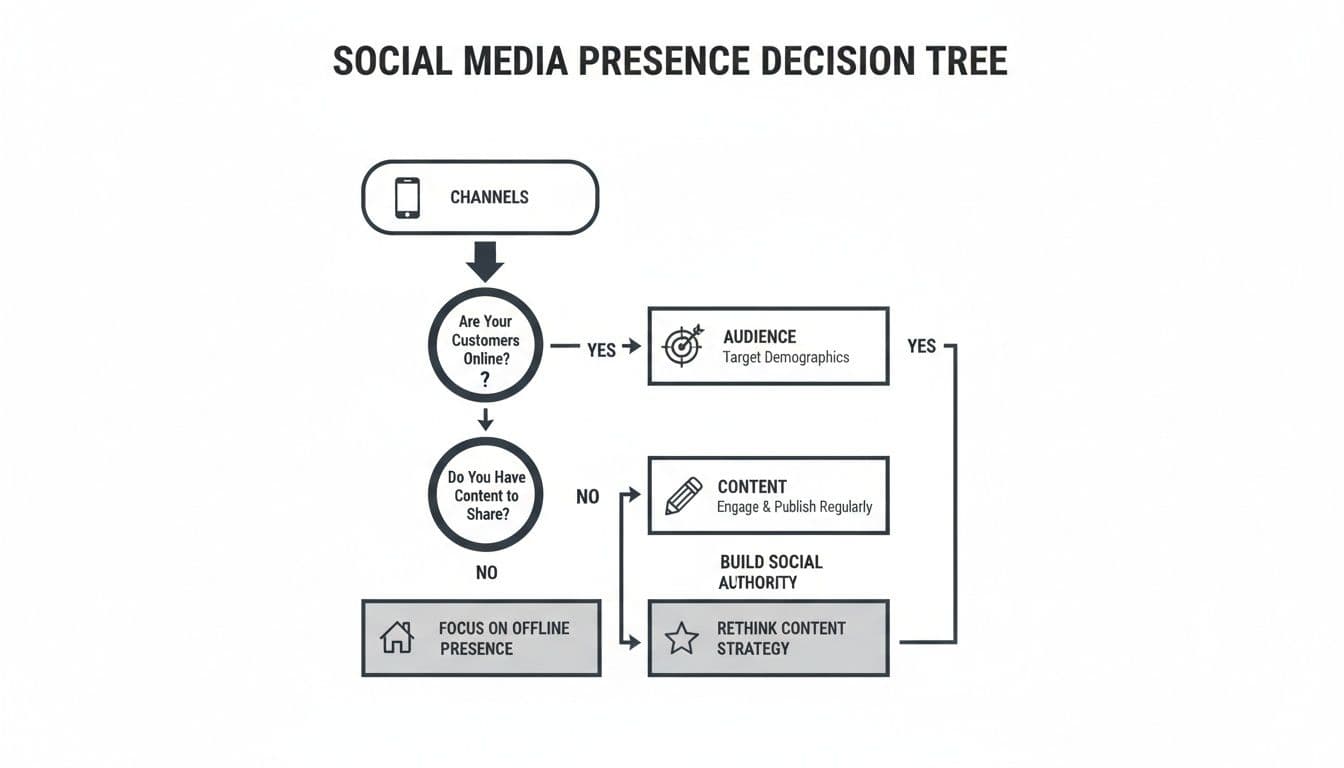
Keep your finger on the pulse with the Trendy iOS app. Instant alerts flag engagement spikes or dips so you can tweak your plan right away.
For a deeper dive into profiling your ideal followers, explore our Guide to Identifying Your Target Audience.
Grab the Trendy iOS App to unlock real-time audience data: Get the Trendy iOS App

Great content thrives at the crossroads of data and creativity. Trendy hands you both: an audience snapshot that reveals who your followers really are, plus forecasts that shine a light on what’s about to catch fire.
Take a lifestyle coach we worked with. Instead of churning out text-only tips, she leaned into Trendy’s post predictions and launched a series of 30-second video tutorials. The result? Engagement doubled in three weeks.
Dig into Trendy’s keyword ideas, competitor audits, and trend research to uncover fresh story angles. It’s about catching those rising hashtags and trending sounds before everyone else does.
In one sprint workshop, a fitness trainer used Trendy’s heatmap to carve out five core themes. Here’s how the magic happened:
Trendy’s competitor audit also highlights the posting rhythms and visual styles that click. You end up with a clear blueprint for building your social media presence with confidence.
“Using actual forecast numbers to choose themes cut our planning time in half,” says social strategist Maya Lin.
A rigid calendar leaves little room for surprise wins. Trendy’s calendar view, however, flags open slots and shows predicted performance windows so you can stay nimble.
Try dividing your week into different content types. One brand we know cycles through:
Every cell in your calendar links to a theme, a format, and a messaging pillar. It’s a simple framework that keeps ideas fresh and ensures each post pulls its weight.
The Trendy iOS app puts this entire schedule on your phone. When a trend suddenly spikes, you’ll get a push notification—and you can swap out a planned post or tweak your caption before it goes live.
A dynamic calendar like this turns your strategy into daily action. It’s the engine behind a social presence that grows steadily.
For deeper tactics on meshing analytics with creative flair, check out our guide on crafting content strategies in social media with Trendy’s full features: Learn more about content strategy on our blog.
Kick off each week by scanning your calendar and Trendy’s forecasts. Small adjustments now keep your feed lively and prevent that dreaded content slump.
Download the Trendy iOS App to take your insights on the road—and never miss a trend again.
Trendy packs powerful features for content creators, including:
Picture your team gathering around Trendy’s storyboard, transforming rough ideas into scroll-stopping Reels. Every Monday, we map out our weekly clips, drop in assets, and tag teammates—no more endless email threads.
We sketch, annotate, and schedule right inside the iOS app. Any tweak you make appears for everyone in real time, so surprises vanish.
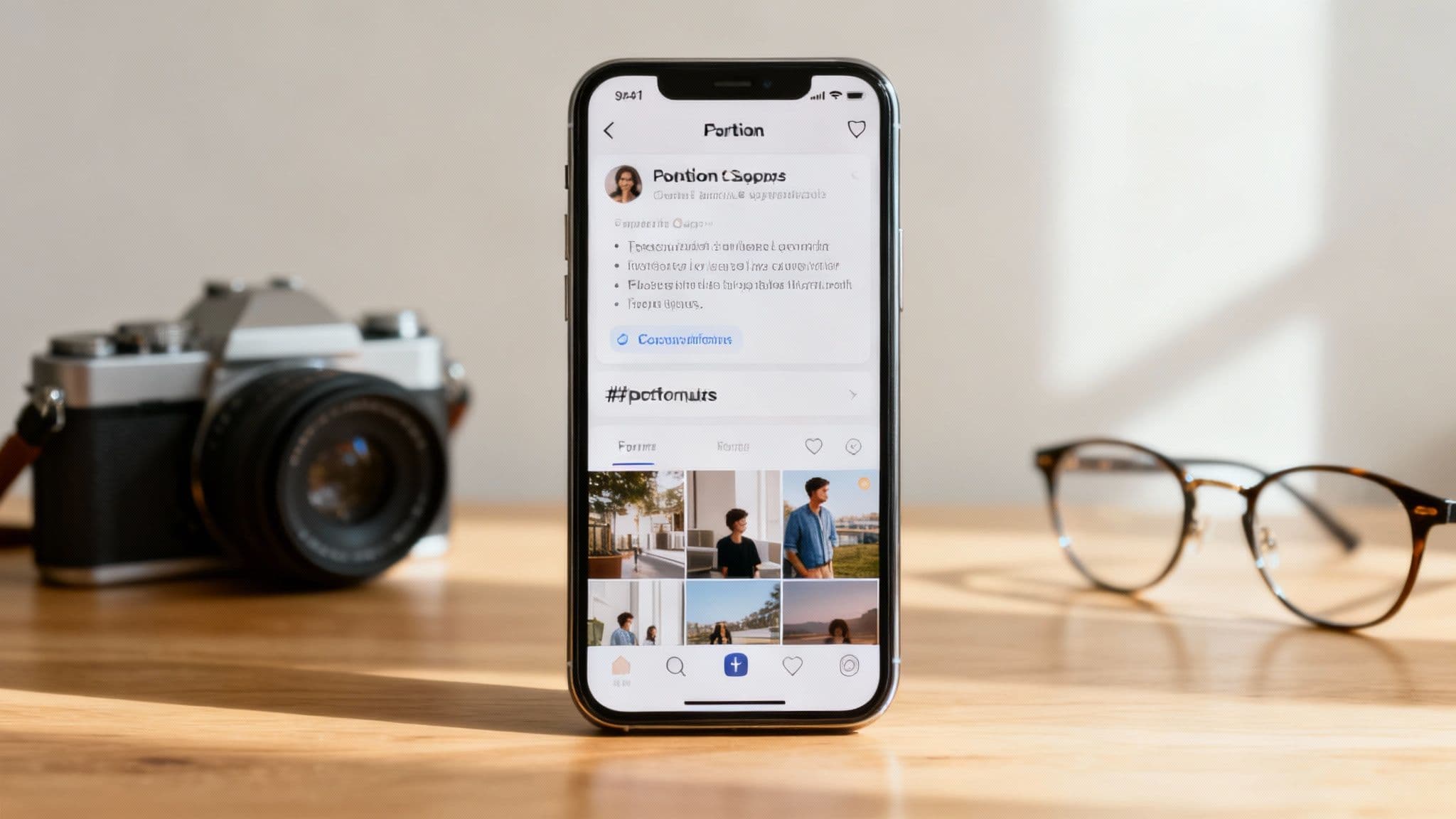
This view highlights the storyboard timeline: drag-and-drop assets, plus AI-powered caption prompts.Performance predictions sit alongside each scene, flagging which frames will spark the most engagement.
• AI Caption SuggestionsThree caption drafts, each scored by predicted reach.
• In-App Image FiltersPreset color grades locked to your brand palette.
• Hashtag recommendations update on the fly, matching emerging trends.• Feedback loops close in minutes, not days.
“We cut planning time by 60% using Trendy’s storyboard and insights,” says Paula, a content strategist on our team.
Flip over to the collaboration board and everything clicks into place. Assign tasks, drop comments on individual frames, and set deadlines—all without leaving Trendy.
For example, our video editor tags the writer on a specific frame: “Give this hook more punch.” The writer tweaks the caption and it instantly syncs across iPhones and iPads.
On the insights dashboard, we can pit different storyboards against each other. In one recent test, swapping to a new soundtrack showed a 45% bump in predicted view duration.
• Hashtag RecommendationsFilter tags by niche popularity and competition level.
• Performance PredictionsLive metrics let us pivot strategy on the fly.
Once the draft is approved, we dive into Trendy’s analytics panel on iOS. Predicted vs. actual reach, saves, shares—all in a single glance.
Armed with those figures, we tweak color choices, adjust tone of voice in captions, and redistribute assets so our feed maintains a consistent vibe.
Invite your whole crew into the app, map out upcoming posts, and let Trendy’s AI whisper hashtag and caption ideas. Planning, design, and analytics finally live under one roof—no more tool juggling.
Key Takeaway: Real-time insights keep everyone aligned and ideas flowing.
Plan and iterate on the fly—get the Trendy iOS App: Get the Trendy iOS App
Keeping a steady posting rhythm is the secret to being found. When you match your format and timing to how your audience scrolls, growth follows naturally.
First off, try the scheduler from Trendy to line up updates when followers are most active. You’ll ditch the late-night scramble and get data-driven timing.
Imagine a travel blogger who bumped TikTok clips from two to seven a week. Their follower count jumped by 30% in a matter of weeks.
Data from 2025 studies makes one thing crystal clear: how often you post—and in what format—dictates how many eyes land on your content.
On average, people clock in about 2 hours 22 minutes daily on social apps, but they divvy that time up differently. Facebook sessions hover around 31 minutes, whereas TikTok and Snapchat tend to draw longer video binges.
Brands that sprinkle in quick, vertical clips several times each week often leave static-image feeds in the dust. To explore these trends firsthand, check out the SproutSocial Demographics Report.
Statistical Highlight: Accounts that match or exceed platform posting norms typically see double-digit lifts in reach and follower growth within months.
Age matters, too. Millennials engage about 69% of the time, while Gen Z devotes most of their screen hours to YouTube, Instagram and TikTok. If younger fans are your target, lean into short-form, trend-driven videos multiple times a week.
Testing and tweaking your approach isn’t optional—it’s your roadmap. Armed with Trendy’s real-time heatmaps, you’ll know which days to push a static post and which moments call for a story. The scheduler learns from live data and recalibrates your plan automatically. Whenever there’s a spike or slump, mobile alerts will keep you in the loop so momentum never slips away.
Learn more about a posting routine in our Social Media Posting Schedule Template.
Schedule smarter. Post faster. Win followers.
Take scheduling on the go with the Trendy iOS App: Get the Trendy iOS App
Mixing paid ads with your organic posts can feel like pairing coffee with dessert—each makes the other taste better. A little budget boost on top of strong community engagement can push your message much farther.
Modern data confirms that precise audience slices deliver better returns, especially when algorithms tighten organic reach. Dive into the details of 5.66 billion social media users and 4.9% annual growth—an extra 259 million people in one year—on DataReportal.
A marketing manager friend shifted spend from static Instagram grids to story ads. Within a month, cost per engagement plunged by 35%.
Track unified KPIs—reach, engagement rate, click-through rate—and funnel conversion per 1,000 impressions into Trendy’s real-time reports.
Testing and reallocating spend based on precise measurement drove a 20–40% boost in ROAS.
Every tactic feeds into Trendy’s single-pane view for paid and earned metrics. Open the Trendy iOS app to spot shifts on the fly and pivot instantly.
A single source of truth for paid and earned metrics unlocks smarter budget decisions.
With amplification dialed in, your reach expands sustainably—and every dollar works harder.
Monitor paid and earned metrics instantly—download the Trendy iOS App: Get the Trendy iOS App
What platform should I start with when learning how to build social media presence?
Picking your first channel isn’t about chasing every shiny new network. Instead, focus on where your audience already hangs out. Open the Trendy iOS App and watch those engagement heatmaps in real time. When you see a spike, double down there before exploring other platforms.
How do I choose the right content format?
Treat content formats like flavors in a tasting menu. Drop a short video one week, an image carousel the next, then a Story. A local bakery I advise swapped a single image post for a quick Reel each week—and saw 45% more comments. Lean on Trendy’s forecasting tools to spot winners before you hit publish.
What posting rhythm keeps growth steady?
Consistency beats bursts of frenzy. Most creators find their sweet spot at 3–5 Instagram shares or 5–7 TikTok drops per week. Use Trendy’s scheduler and mobile reminders to keep you on track without feeling burned out.
Matching format and frequency to platform norms can boost reach by double digits.
Scheduling months in advance can feel suffocating. Instead, jot down drafts the night before and refine them using Trendy’s mobile preview over your morning coffee.
Plan weekly themes with a simple list:
Here’s a realistic weekly check-in:
Consider a fitness coach who noticed a sudden engagement dip. She turned to Trendy and realized her audience loved carousel tutorials on Wednesdays. Two weeks later, her saves were up by 30%.
Keep your focus on:
With these FAQs, you’ve got hands-on tactics to smooth common roadblocks as you grow your presence. Keep the Trendy iOS App within thumb’s reach—trends wait for no one.
Ready to elevate your social media presence? Get instant, data-driven tips with Trendy. Get the Trendy iOS App